
Running out of phone storage is a common frustration as photos, videos, and apps keep growing. Many users see an SD card as the easiest fix—and often it is, but only if your phone supports expandable storage and you understand its limits. SD cards are helpful, but they’re not always a perfect replacement for built-in memory. Knowing how they work helps you avoid performance issues and make smarter choices. This article explains compatibility, what you can and can’t store on an SD card, and how it compares to internal storage. 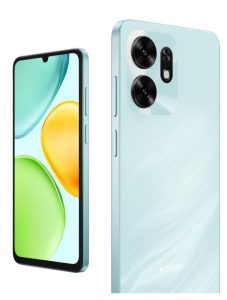
Check Phone Compatibility First
Before getting an SD card, first check if your phone supports expandable storage. Not all devices have a dedicated slot, and even among those that do, performance and capacity limits vary. Many users overlook this until they realize their phone can’t accept more space. When supported, an SD card can greatly improve storage flexibility. For example, some modern phones like the HONOR X6d 5G phone come with built-in large storage and support for expansion up to 1TB MicroSD, which makes managing thousands of photos and videos much easier in daily life. This combination of internal and expandable storage provides a more convenient experience for users who need extra space without constantly deleting files.
What You Can Store on an SD Card
Photos, videos, and music files
SD cards are most commonly used for storing media files such as photos, videos, and music. In daily life, these files usually take up the largest portion of storage, especially for users who frequently take pictures or download entertainment content. Moving them to an SD card can quickly free up internal memory and improve overall device performance. This makes it easier to continue capturing new moments without worrying about space limitations. It also helps organize personal files in a more flexible way. For many users, this is the main reason they choose to use expandable storage.
App data
Some phones allow certain app data to be moved to an SD card, although this depends on system restrictions and app design. In everyday use, this can include cached files or additional resources used by applications. While it does not always apply to all apps, it can still help reduce internal storage usage in some cases. However, performance may vary depending on how the app interacts with external storage. Because of this, SD cards are more commonly used for media rather than core app functionality. Still, when supported, it can provide useful extra flexibility.
What You Cannot Store
System apps and core OS files
One important limitation of SD cards is that they cannot store system-level data. Core operating system files and pre-installed apps must remain in internal storage to ensure proper performance. In everyday use, this means you cannot move essential functions like system settings or critical services to an SD card. This restriction exists because system files require faster and more stable access than external storage can reliably provide. As a result, internal storage remains essential for core phone operation. SD cards are only designed to complement, not replace, built-in memory.
Some apps refuse to move to SD card
Many modern applications are designed to stay on internal storage for performance and security reasons. In daily use, this often includes large apps such as games or social media platforms. Even if your phone supports SD cards, these apps may not offer the option to transfer data. This limitation is based on how the app is built and how it manages real-time data. Because of this, users may find that only a portion of their storage can be offloaded. Understanding this helps set realistic expectations when using expandable storage.
Speed Matters – Pick the Right Card
Not all SD cards perform the same way, and speed is an important factor that affects user experience. Faster cards can handle reading and writing data more efficiently, especially when transferring large files like videos or high-resolution photos. In everyday use, a slow card may cause delays when opening files or saving new data. This can make the phone feel less responsive even if storage space is available. Choosing a high-quality card ensures smoother performance and better reliability. While SD cards are useful, their speed is still generally lower than built-in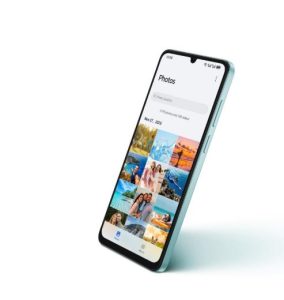 storage.
SD Card vs. Built-in Storage
SD card – Cheaper, removable, slower
SD cards offer flexibility because they are affordable, removable, and easy to replace. In daily life, this makes them convenient for transferring files between devices or expanding storage quickly. However, their performance is usually slower compared to internal memory. This can affect how quickly files load or save, especially for large applications. Despite this limitation, they remain a practical solution for storing media and backups. Their portability is one of their biggest advantages.
Built-in – Faster, more reliable, not expandable
Internal storage, on the other hand, provides much faster and more stable performance. It is directly integrated into the phone’s system, allowing quicker access to apps and files. In everyday use, this results in smoother multitasking and faster loading times. However, built-in storage cannot be physically expanded once it is full. This makes it important to choose a device with sufficient capacity from the beginning. The balance between speed and flexibility often determines which storage type users rely on most.
Conclusion
SD cards are a useful way to expand phone storage, especially for photos, videos, and other media files. However, they have clear limitations when it comes to speed, system compatibility, and app support. While they provide extra flexibility, they cannot fully replace internal storage in terms of performance. Understanding what can and cannot be stored helps users make smarter decisions about managing space. In the end, SD cards work best as a supportive solution rather than a complete storage replacement.
Note: This a collaborative post

No Comments