
Phone batteries have improved greatly, but many still stress over charging habits. Some unplug at 100%, others avoid overnight charging—fearing battery damage. In reality, modern smartphones have intelligent systems that protect battery health. Today’s devices are much smarter than old ones. This article explains when to unplug, how charging affects batteries, and why you can stop worrying about every percentage point. 
You Don’t Need to Stop at 100%
Phones stop charging automatically
One common misconception is that smartphones keep charging endlessly after reaching 100%. In reality, modern phones stop drawing full power once the battery is full—the system automatically manages electricity flow to avoid battery stress. This means you don’t need to constantly check your battery percentage. Even fast-charging technologies, like HONOR X9’s 66W SuperCharge, are designed to combine speed with built-in safety management for a reliable experience. Instead of worrying about unplugging right at 100%, trust that modern charging systems are already handling it.
Overcharge protection kicks in
Modern smartphones include several layers of protection that help prevent overcharging. Once the battery reaches full capacity, the system reduces or stops incoming power automatically. This protection is built into both the phone and the charging hardware to keep temperatures and voltage levels stable. In everyday situations, this means leaving your phone plugged in for a little longer is generally not harmful. Most people use their devices throughout busy days and don’t need to monitor charging constantly. These built-in safeguards are one reason smartphone batteries today are far more reliable than they used to be.
Best Range for Battery Health
Keep between 20% and 80% for longevity
Although charging to 100% is safe, keeping your battery between roughly 20% and 80% can help maximize long-term battery lifespan. Lithium batteries experience slightly less stress when they avoid staying at extremely high or low levels for extended periods. In practical terms, this doesn’t mean you need to obsess over percentages every day. Instead, it’s more about building balanced habits whenever convenient. For example, short top-up charges during the day can sometimes be gentler than constantly draining the battery to near zero.
100% is fine – just don’t leave it for weeks
Charging your phone fully is completely normal and often necessary during busy schedules or travel. The bigger concern is leaving a fully charged phone unused for very long periods. Batteries naturally degrade faster when stored at 100% for weeks or months without use. In real life, this mostly matters for backup devices or phones sitting in storage drawers. If you plan not to use a device for a long time, storing it around half charge is usually a better option. For everyday users, though, charging to 100% occasionally is not something worth stressing over.
Overnight Charging Is Safe
Phone trickle-charges after full
Many people charge their phones overnight because it fits naturally into their routine. Modern devices are designed for this kind of usage and switch into a maintenance mode once the battery reaches full charge. Instead of continuously forcing power into the battery, the phone only adds small amounts when necessary. This process is often called trickle charging and helps maintain battery levels safely throughout the night. In daily life, this means users can wake up to a fully charged phone without constantly worrying about battery damage. Overnight charging has become a standard part of smartphone use for a reason.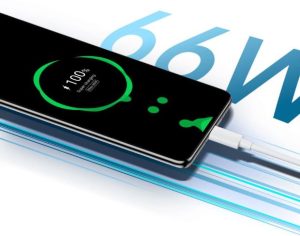
Smart charging learns your wake-up time
Some smartphones now include adaptive charging features that learn your daily routine. These systems may pause charging around 80% and finish the last portion closer to your normal wake-up time. This reduces the amount of time the battery spends sitting at maximum charge overnight. In practice, it helps balance convenience and battery health automatically. Most users won’t even notice the feature working because it quietly operates in the background. This kind of intelligent charging shows how modern phones are increasingly designed to manage battery care on their own.
When to Actually Unplug
Battery feels very hot to touch
While modern charging systems are generally safe, excessive heat is still something to pay attention to. A phone may become slightly warm during fast charging, especially during gaming or heavy use, but it should not feel uncomfortably hot. High temperatures can stress the battery and affect long-term performance over time. In everyday situations, removing thick cases or moving the phone away from direct sunlight can help reduce heat buildup. If the phone consistently overheats while charging, it may be worth checking the charger or cable. Heat matters far more to battery health than charging to 100%.
Phone hasn’t been used for months
Phones that sit unused for long periods require a little extra care. Batteries slowly lose charge over time even when powered off. If a device drains completely and stays empty for months, the battery may become difficult to recharge later. For long-term storage, keeping the battery partially charged is usually the safest approach. Checking the device occasionally can also help maintain battery condition. These situations are less common, but they are one of the few times charging habits truly matter.
Conclusion
Modern smartphones are smarter about charging than many realize. Features like automatic charging control, trickle charging, and adaptive battery management already protect your phone in the background. While avoiding extreme heat and keeping balanced charge levels can help, there’s no need to panic over every session. Convenience and consistent use matter more than obsessing over percentages. Your phone is designed to manage charging safely—so worry less and just use it.
Note: This is a collaborative post

No Comments